Finish the route you actually want to send
Calculate the route and, if alternatives were compared, select the route variant you intend the driver to follow. Confirm the stop order, appointments and service details before sharing.

Turn the selected LogicCalc route into a driver-facing handoff without exposing the commercial calculation. The public read-only link carries the route geometry, ordered stops, distance and timing data while internal rates, toll settings, cost, margin and client price stay private.
Calculate the route and, if alternatives were compared, select the route variant you intend the driver to follow. Confirm the stop order, appointments and service details before sharing.
LogicCalc saves a driver-facing route payload containing the selected variant, ordered stops, appointment and service times, route geometry, distance and driving/transit timing.
Share the public link with the driver. The commercial side of the job is deliberately excluded, and the link expires after 30 days.
Use route sharing when the driver needs a clear operational route but should not receive the customer's price or your internal economics.
Hand over the final route, ordered stops and timing in one link instead of copying addresses and route details into several messages.
Send the exact route variant selected by dispatch after route alternatives have been reviewed.
Keep internal rates, toll settings, cost, margin and client price outside the public driver view.
A dispatcher calculates Vienna → Brno → Prague, confirms the selected route and the stop timings, then creates a driver link from Actions. The driver receives a read-only view with the route line, ordered stops, distance and timing information. The internal pricing model is not included, and the link remains valid for 30 days.
The shared payload can include the selected route variant, ordered stops, appointment and service times, route geometry, distance and driving/transit timing.
Internal rates, toll settings, internal cost, margin and client price are deliberately excluded from the public driver payload.
The shared driver view is read-only. It is intended for operational handoff, not for editing the dispatcher's LogicCalc calculation.
The link expires after 30 days. If the operational route changes materially, create and send a fresh link so the driver receives the latest dispatch plan.
A driver link is a handoff of the calculated plan, not live truck navigation or a substitute for current road and site information.
This is a real LogicCalc workspace view. Use your own route, cargo, fleet and commercial settings for the actual calculation.
Open LogicCalc →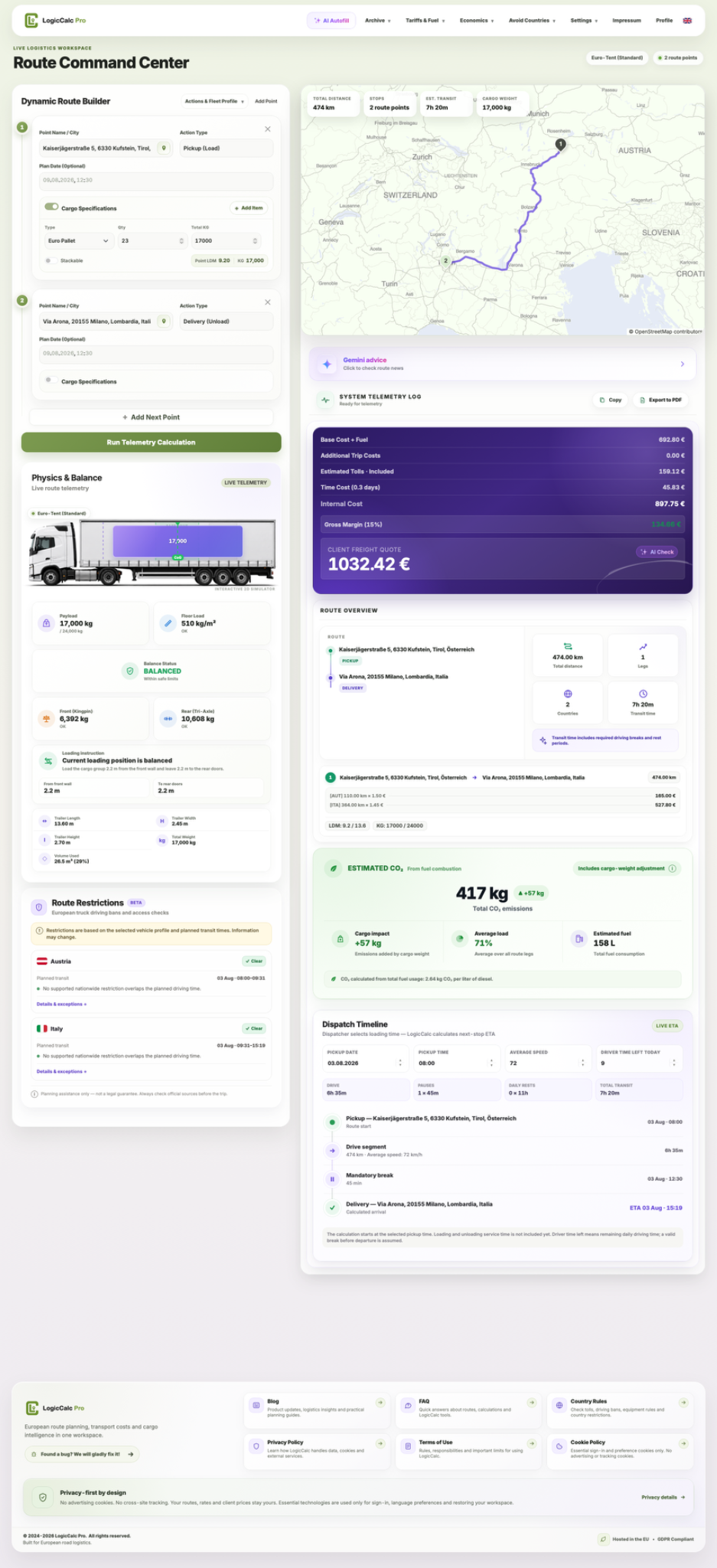
LogicCalc is a planning tool. Always verify operational, legal and contractual requirements for the actual transport.