Build a 3–6 stop pickup/delivery route
Mark each operational point as pickup or delivery and enter the cargo data used by the route. The first stop remains fixed and the active truck defines the LDM and weight limits.

Optimize a route where stop order changes the cargo carried between locations. LogicCalc evaluates alternative pickup and delivery sequences, tracks the running LDM and weight against the active truck, and only prices candidates that remain load-feasible.
Mark each operational point as pickup or delivery and enter the cargo data used by the route. The first stop remains fixed and the active truck defines the LDM and weight limits.
For every candidate order, LogicCalc updates the cargo state after each pickup or delivery. Orders that exceed the selected truck's LDM or weight capacity are removed before final comparison.
Routable, load-feasible sequences are fully calculated and compared on distance, driving time and estimated internal cost. Apply a new order only after the operational meaning of every pickup and delivery still makes sense.
Use this optimizer when cargo changes along the trip and a shorter route is useless if the truck becomes infeasible between stops.
Sequence several pickups and deliveries while checking the truck's running LDM and weight after every operation.
Avoid a route order that looks short on the map but temporarily loads more cargo than the selected truck can carry.
Compare the remaining feasible orders by route distance, time and estimated cost instead of optimizing geography in isolation.
Imagine a fixed start in Vienna, pickups in Linz and Salzburg, and deliveries in Munich and Nuremberg. LogicCalc can test routable orders for the flexible stops and recalculate the running cargo after each operation. A geographically attractive order is discarded if it exceeds LDM or weight capacity; only feasible candidates continue to the cost and time comparison.
This page focuses on routes where pickups and deliveries change the cargo carried between stops. The optimizer checks the running LDM and weight for each candidate sequence before it is shortlisted.
No. The feasibility check covers the configured cargo LDM and weight limits. Axle loads, exact 3D placement, securing and site rules still require separate checks.
Timed appointment stops are not reordered in the current version, so the optimizer does not move a time-critical stop just to improve the route.
Not in the current optimizer workflow. Avoid Countries must be off while stop-order alternatives are being evaluated.
The optimizer protects against obvious LDM and weight problems in the running load, but dispatch still needs the real loading and legal checks.
This is a real LogicCalc workspace view. Use your own route, cargo, fleet and commercial settings for the actual calculation.
Open LogicCalc →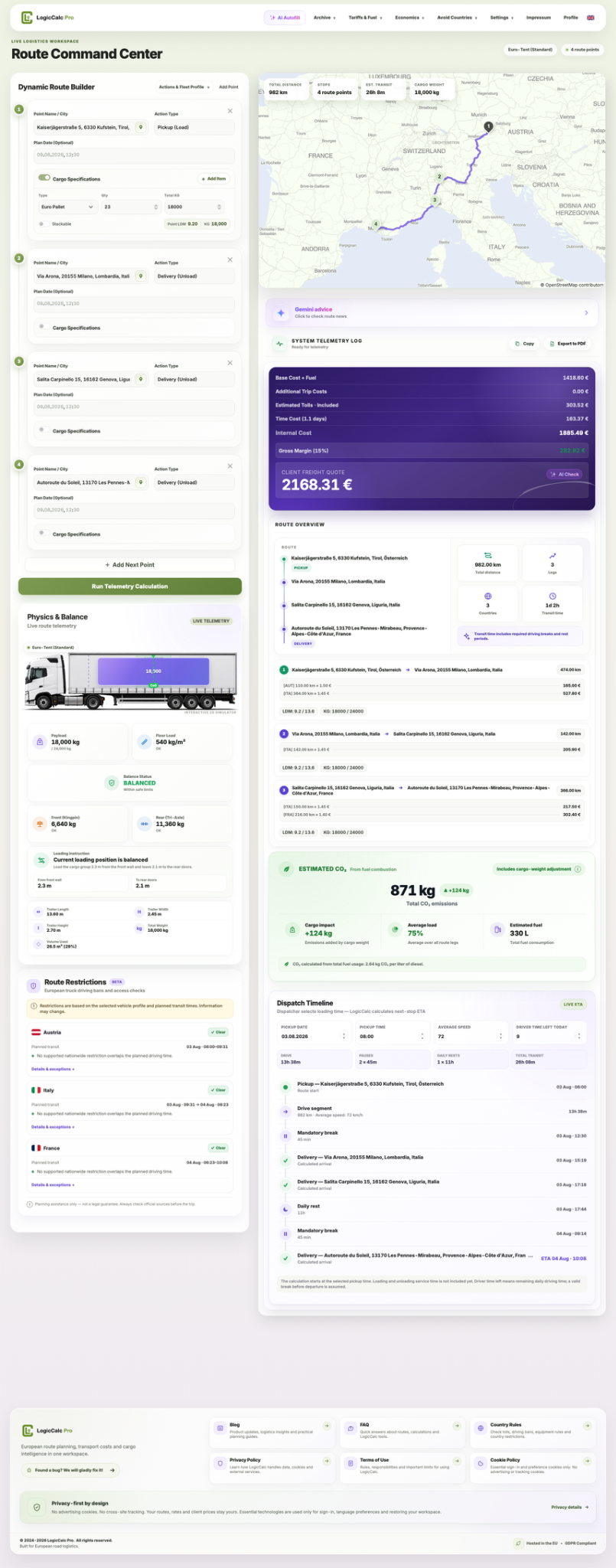
LogicCalc is a planning tool. Always verify operational, legal and contractual requirements for the actual transport.