Add the stops in dispatch order
Enter the loading, unloading and intermediate points in the sequence you currently plan to visit them. Keep the stop type and any planned date or time attached to the correct location.

Build the trip in the operational order you intend to run it. Each loading, unloading or intermediate point becomes part of one route so the legs, country distances and transit picture can be reviewed together.
Enter the loading, unloading and intermediate points in the sequence you currently plan to visit them. Keep the stop type and any planned date or time attached to the correct location.
LogicCalc routes the journey from stop to stop and combines the legs into one trip. You can review the total distance, the countries crossed and the overall transit estimate without splitting the job into separate calculations.
Check whether the entered order still makes operational sense once distance, timing and route shape are visible. If the order itself should be tested, continue with the route optimizer rather than treating the planner as an optimizer.
Use the multi-stop planner when the stop sequence is already known and you need one coherent transport plan around it.
Keep several deliveries in one calculation instead of creating a separate route for every customer. This is useful when the order of the drop points has already been agreed.
Build a route with several collections and keep the resulting legs, total kilometres and timing in one dispatch view.
Use one route for jobs that mix loading, unloading and intermediate operational stops, so the dispatcher can review the whole trip rather than isolated legs.
A dispatcher enters a pickup in Munich, a second pickup in Salzburg and a delivery in Milan in that exact order. LogicCalc calculates the two connected legs and presents one combined route with total distance, country breakdown and transit estimate. The page does not claim that this is the best stop order; it plans the order you entered.
No. The multi-stop planner is for building and calculating the stop order you enter. If you want LogicCalc to test alternative sequences, use the truck route optimizer or the pickup and delivery route optimizer.
Yes. The route can contain different operational stop types, allowing the entire trip to be reviewed as one connected plan.
You get ordered route legs together with the combined distance, country-distance breakdown and transit estimate for the trip.
Use an optimizer when the sequence is not fixed and you want to test whether another routable order can reduce distance, time or cost while remaining operationally feasible.
A multi-stop calculation connects the planned stops, but the dispatcher still owns the operational sequence and the live checks around it.
This is a real LogicCalc workspace view. Use your own route, cargo, fleet and commercial settings for the actual calculation.
Open LogicCalc →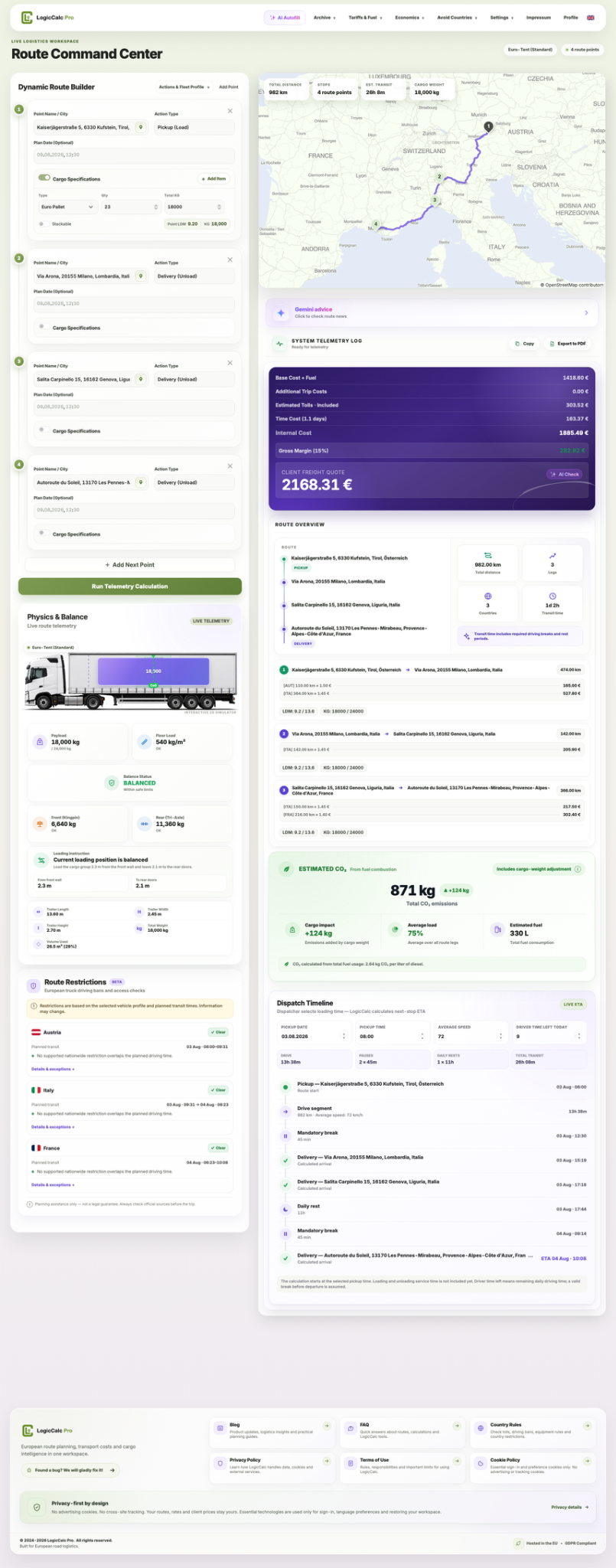
LogicCalc is a planning tool. Always verify operational, legal and contractual requirements for the actual transport.